Post a class
Put a pool or lake day on the calendar, get the signup link, build the roster and push it to Google Calendar.
5 min read · in your admin: /admin/new-class
Post a Class (/admin/new-class) is the fast path for scheduling. Pick pool or lake, date, venue and instructor; the title builds itself and you get the signup link straight back.
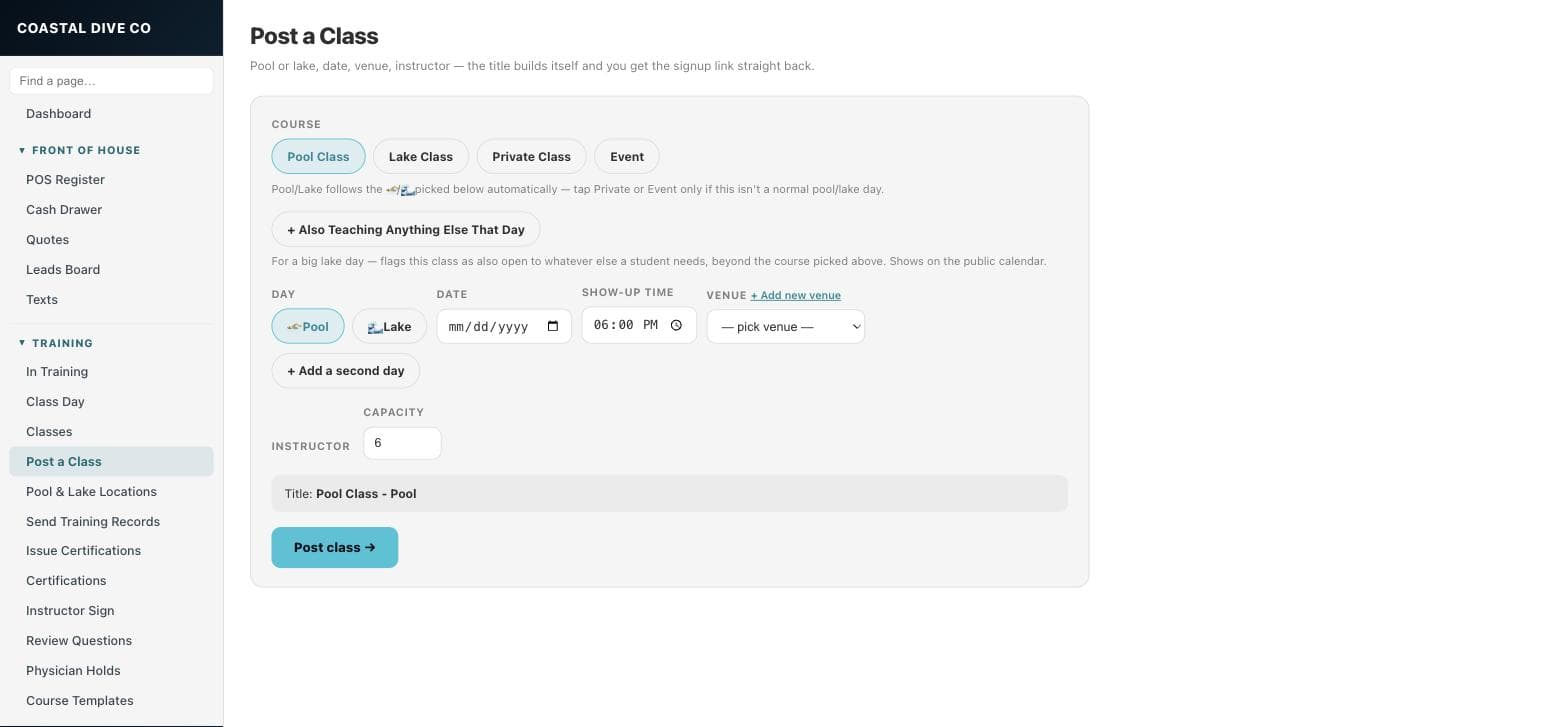
Post the days
- Under Course, leave Pool Class or Lake Class selected. It follows the day types you pick below. Tap Private Class or Event only when this is not a normal pool or lake day.
- For a big lake day where you will also teach whatever a student needs, tap Also Teaching Anything Else That Day. It shows on the public calendar.
- For each day, tap Pool or Lake, then set Date and Show-up time.
- Pick a Venue. The list is filtered to locations of that type. If the venue is missing, + Add new venue opens the Locations form in a new tab; switch back and it appears in the picker. A Private Class can use “type a custom address” instead.
- Tap + Add a second day for a two-day class. Remove a day with the ✕ button.
- Tap the Instructor and set Capacity.
- Check the Title preview, then tap Post class →.
After posting
- Copy signup link copies the public self-signup page (/class-signup/…). Anyone with it can put themselves on the roster.
- Email upcoming class days → takes you to In Training to send the class-day blast.
- Open class opens the class editor. Post another clears the form.
Build the roster
In the class editor, search a student by name to add them. Their training record links automatically. Set Here for (a course, or a fun dive with nothing recorded) and which days they attend; blank means all days. Email class info to roster sends each student the location, address, waiver link and show-up time. Save when done. Cancel class hides the class from the public calendar and closes signup.
Google Calendar
If a Google Calendar is connected for your shop, every class day is pushed to it after the save, and edits update the existing event. The push runs in the background about a minute after you save, so the event is not instant.
Something here is wrong or missing? Email hello@divedesk.io.