Connect Stripe
Connect an existing Stripe account or create one, so online checkout and the POS reader pay straight into your bank.
4 min read · in your admin: /admin/stripe-connect
Stripe Payments is where you connect your Stripe account to accept online payments and run your in-person POS. Every shop has its own Stripe account; DiveDesk never holds your money. Card sales settle in your Stripe balance and Stripe pays out to your bank on its normal schedule. Admin only.
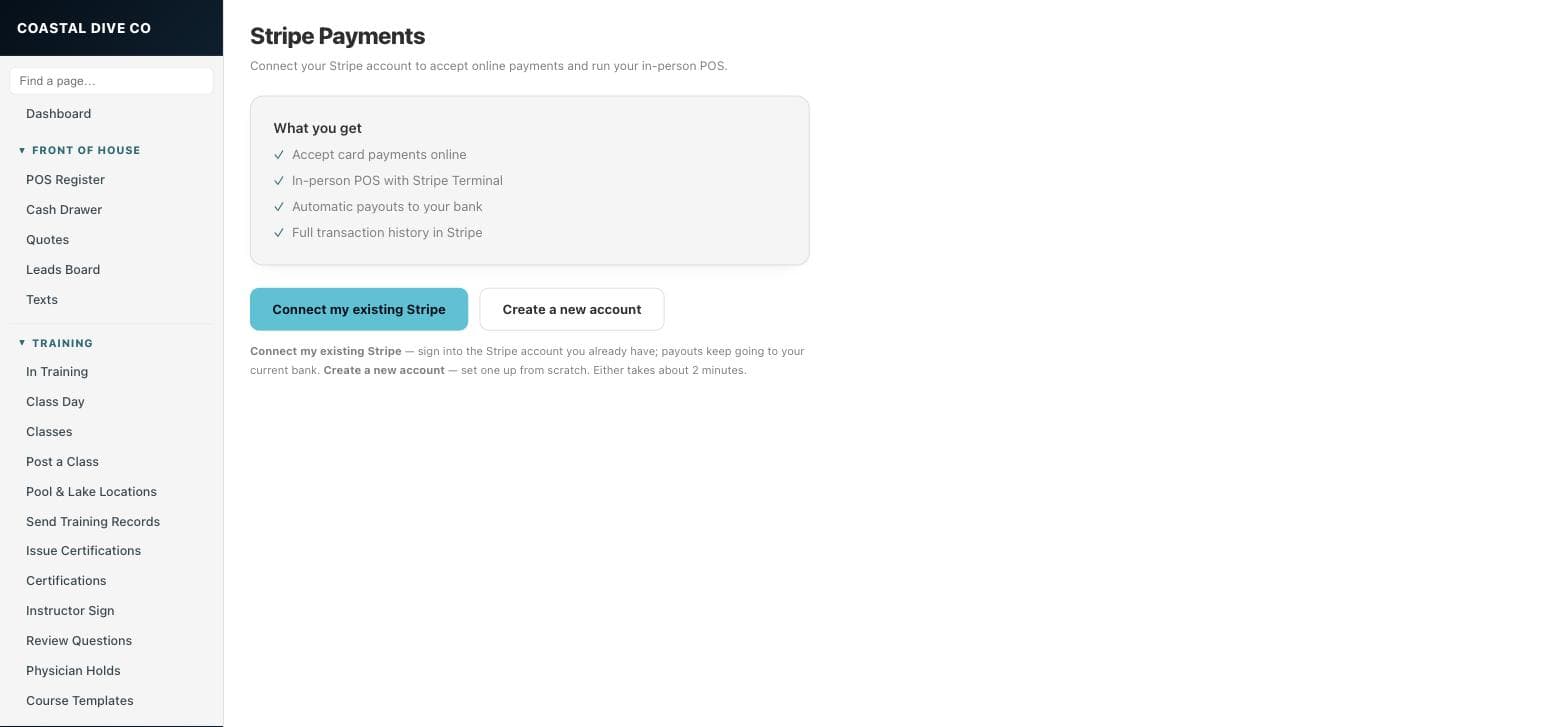
Two ways to connect
- Connect my existing Stripe — sign into the Stripe account you already have. Its history stays and payouts keep going to your current bank.
- Create a new account — set one up from scratch. Stripe asks for your business details and bank account.
- Click one of the two buttons. You are redirected to Stripe; either path takes about 2 minutes.
- Finish on Stripe and you land back here. If the page says Almost there — Stripe needs a moment to verify your account, check back shortly.
- When it is done the page shows Stripe connected with your Account ID and an Open Stripe Dashboard → button.
The platform fee
DiveDesk takes a small platform fee on card charges that run through your Stripe account, set by your plan: 0.25% on Solo, 0.15% on Starter, 0% on Pro. It is on top of Stripe’s own processing fee and is shown on Billing. Cash and check sales carry no fee.
Something here is wrong or missing? Email hello@divedesk.io.